Stuck?  support@mecway.com

Mecway
FEA
Beam element implementation on CCX

Hi Guys
A massively huge thank you to Victor for providing the functionality in Mecway so that my custom build of CCX can run!!!!
If you are interesting in using the distribution refer to the below link to the custom build of CCX.
To get access to the beam elements, extract the zip file, point Mecway to the CCX exe file.
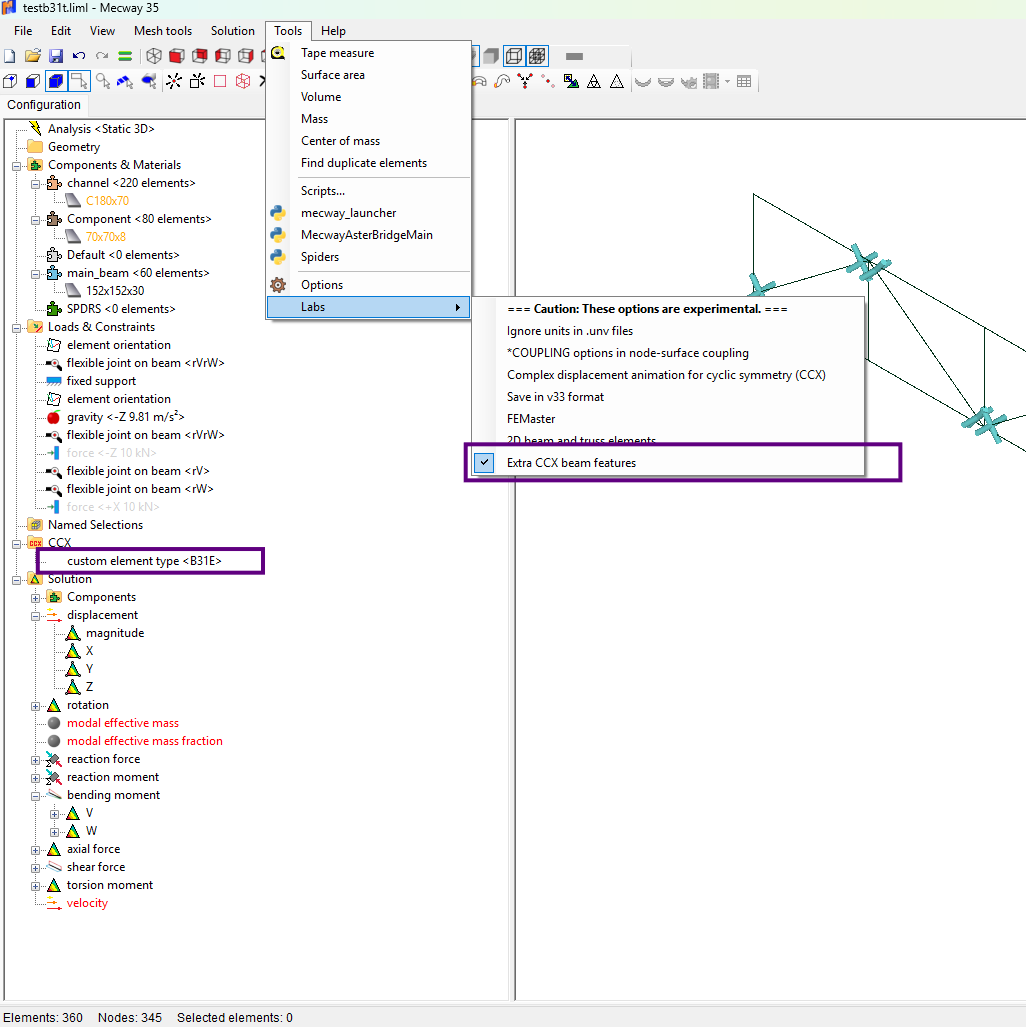
Activate the extra beam features as shown in the image below.
Use a custom element type, which can either be B31E or B31T (euler bernoulli or Timoshenko)
The results seem really promising, these is an issue with rectanuglar sections where the section is orianted incorrectly, however it seems to be working well for all other elements. There is a test case in the folder shared below which shows the accuracy. The "CCX prior build" was an old build which had some issues with the torsional constant was handled.
https://drive.google.com/drive/folders/1H78SCM9srGph3yHTyfV0fAB74iey-1q-?usp=drive_link
A massively huge thank you to Victor for providing the functionality in Mecway so that my custom build of CCX can run!!!!
If you are interesting in using the distribution refer to the below link to the custom build of CCX.
To get access to the beam elements, extract the zip file, point Mecway to the CCX exe file.
Activate the extra beam features as shown in the image below.
Use a custom element type, which can either be B31E or B31T (euler bernoulli or Timoshenko)
The results seem really promising, these is an issue with rectanuglar sections where the section is orianted incorrectly, however it seems to be working well for all other elements. There is a test case in the folder shared below which shows the accuracy. The "CCX prior build" was an old build which had some issues with the torsional constant was handled.
https://drive.google.com/drive/folders/1H78SCM9srGph3yHTyfV0fAB74iey-1q-?usp=drive_link
Howdy, Stranger!
It looks like you're new here. If you want to get involved, click one of these buttons!
Comments
@Victor , as we have so many solvers to choose, would be great to have a title block in the post view showing the solver (and version maybe) used. At least a new line over the variable name of the postprocessed variable.
The link to current distribution I have shared prodcues the correct results for your first post. If there are still issues after checking your ditribution please let me know and we can look into it.