Stuck?  support@mecway.com
support@mecway.com

Mecway
FEA
Custom gmsh commands

I have been trying to tune the gmsh commands to make conformal quad meshes from a reasonably straight forward set of surfaces. The geometry is shown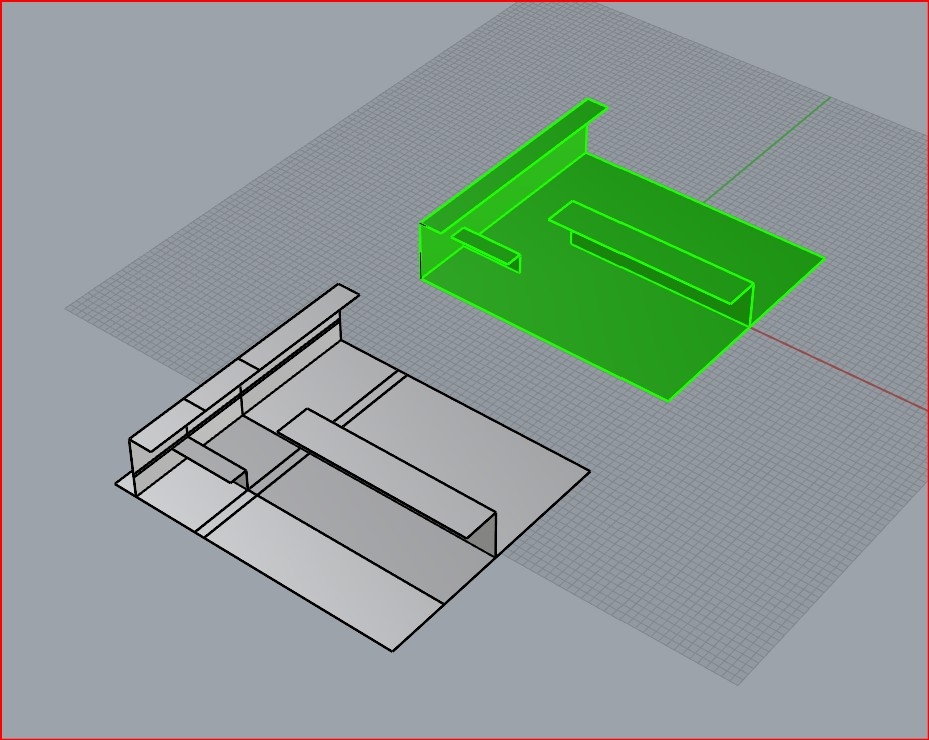
in this pic. My best efforts so far is to slice the hell out of the part and then use gmsh inside Mecway with one custom command.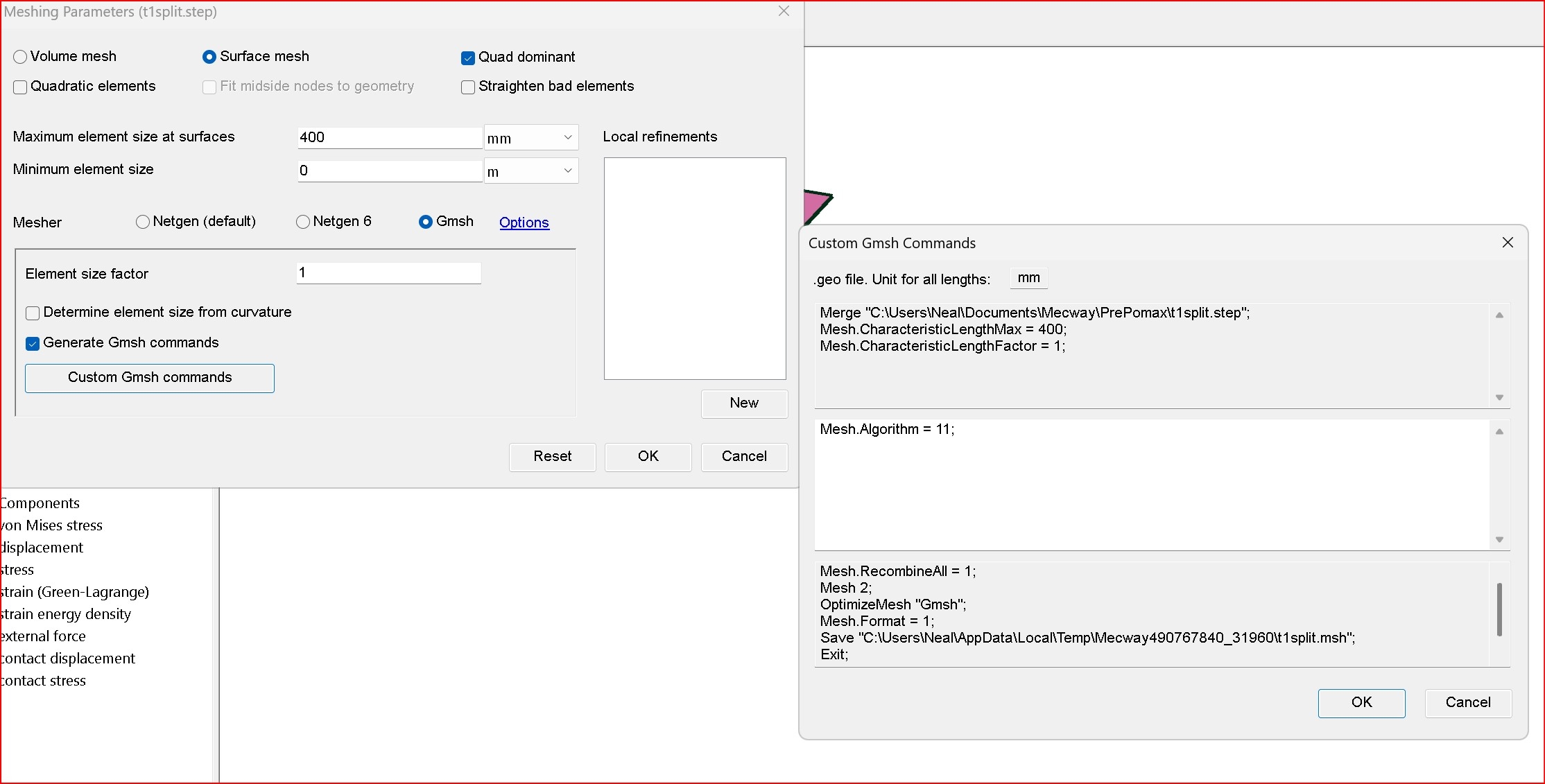
The resulting mesh looks ok (pink mesh below) but all the nodes have to be merged afterwards. I understand there may be some more advance gmsh commands along the lines of
Coherence;
BooleanFragments{ Surface{:}; }{ Surface{:}; }
Coherence;
Compound Surface "*";
that may do some of this more automatically - does any one have any ideas here.
The alternative is salome that I have managed to take the unsliced .stp file (green one above), do a few transformations then produce a conformal quad mesh ok (green mesh below)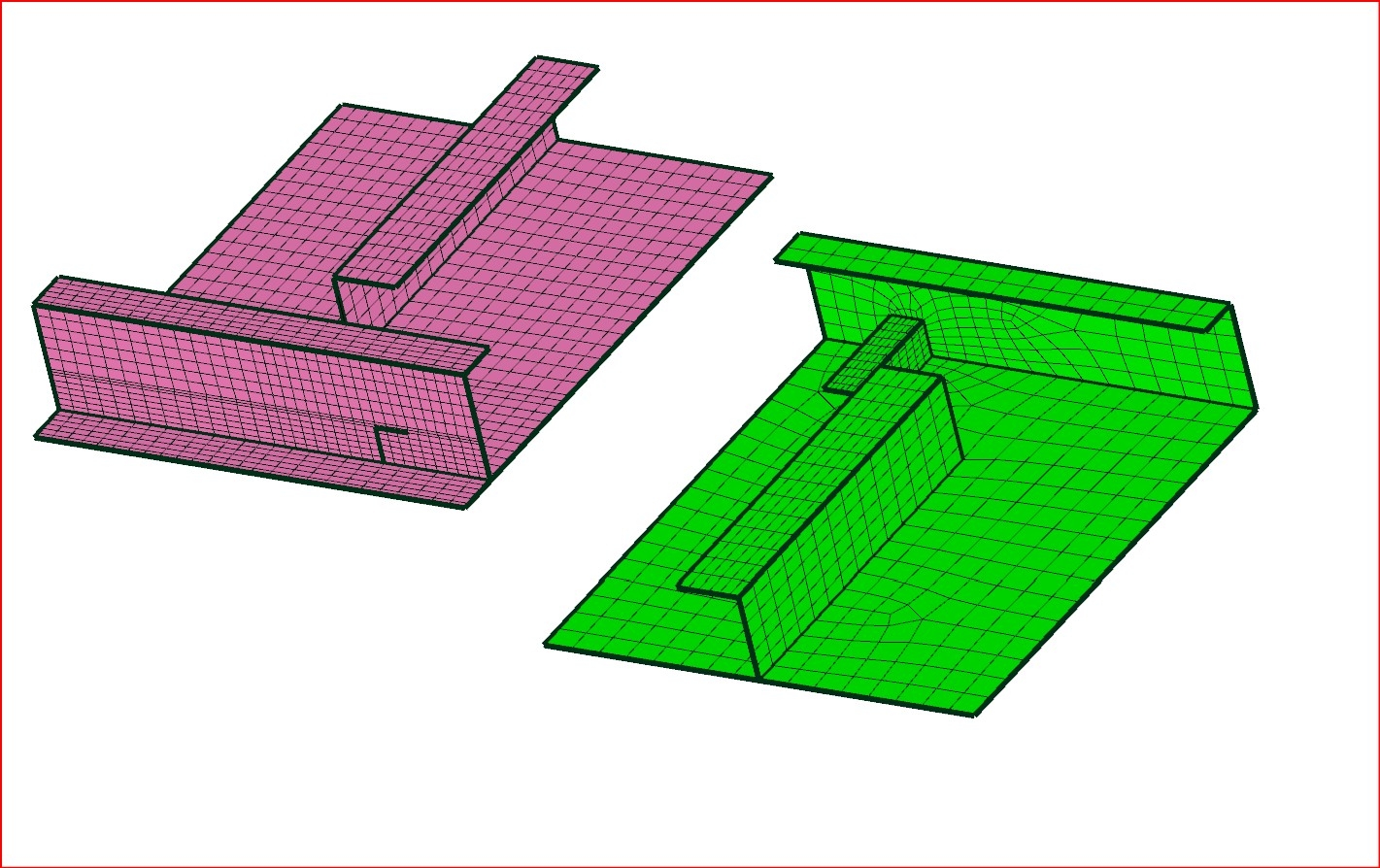 this is also a bit of a work up for me. any help would be much appreciated
in this pic. My best efforts so far is to slice the hell out of the part and then use gmsh inside Mecway with one custom command.
The resulting mesh looks ok (pink mesh below) but all the nodes have to be merged afterwards. I understand there may be some more advance gmsh commands along the lines of
Coherence;
BooleanFragments{ Surface{:}; }{ Surface{:}; }
Coherence;
Compound Surface "*";
that may do some of this more automatically - does any one have any ideas here.
The alternative is salome that I have managed to take the unsliced .stp file (green one above), do a few transformations then produce a conformal quad mesh ok (green mesh below)
this is also a bit of a work up for me. any help would be much appreciatedHowdy, Stranger!
It looks like you're new here. If you want to get involved, click one of these buttons!
Comments
I also set min/max very close 399.9 / 400 to improve the likelihood that meshes will match if the CAD is disconnected in spots - it's usually easy to merge up.